
Loans
When you upload a document to Areal for processing, we create a loan — a grouping of documents for that mortgage. The API calls this an UploadSession.
## Example Views
List View
Section titled “List View”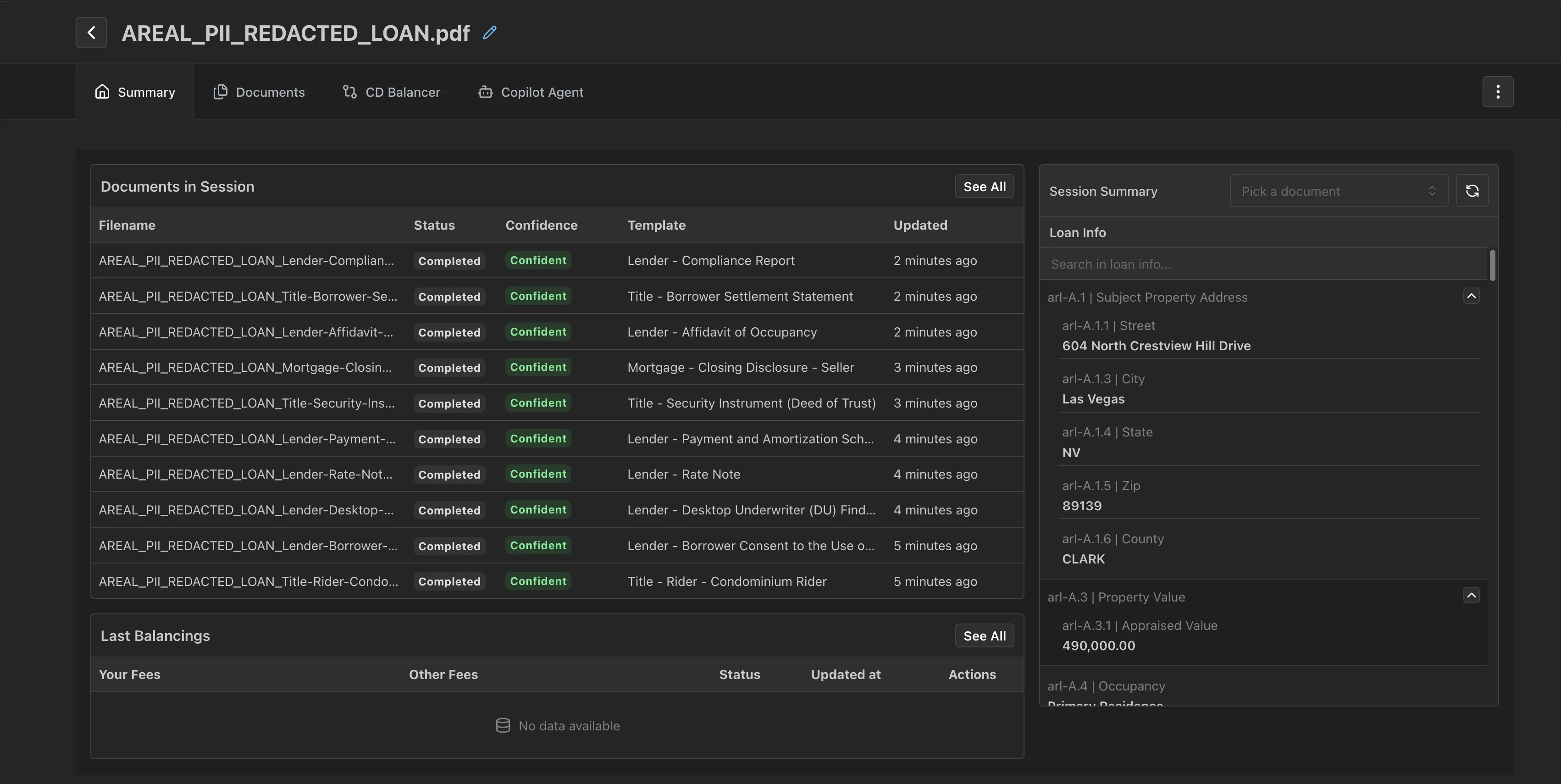
Detail View
Section titled “Detail View”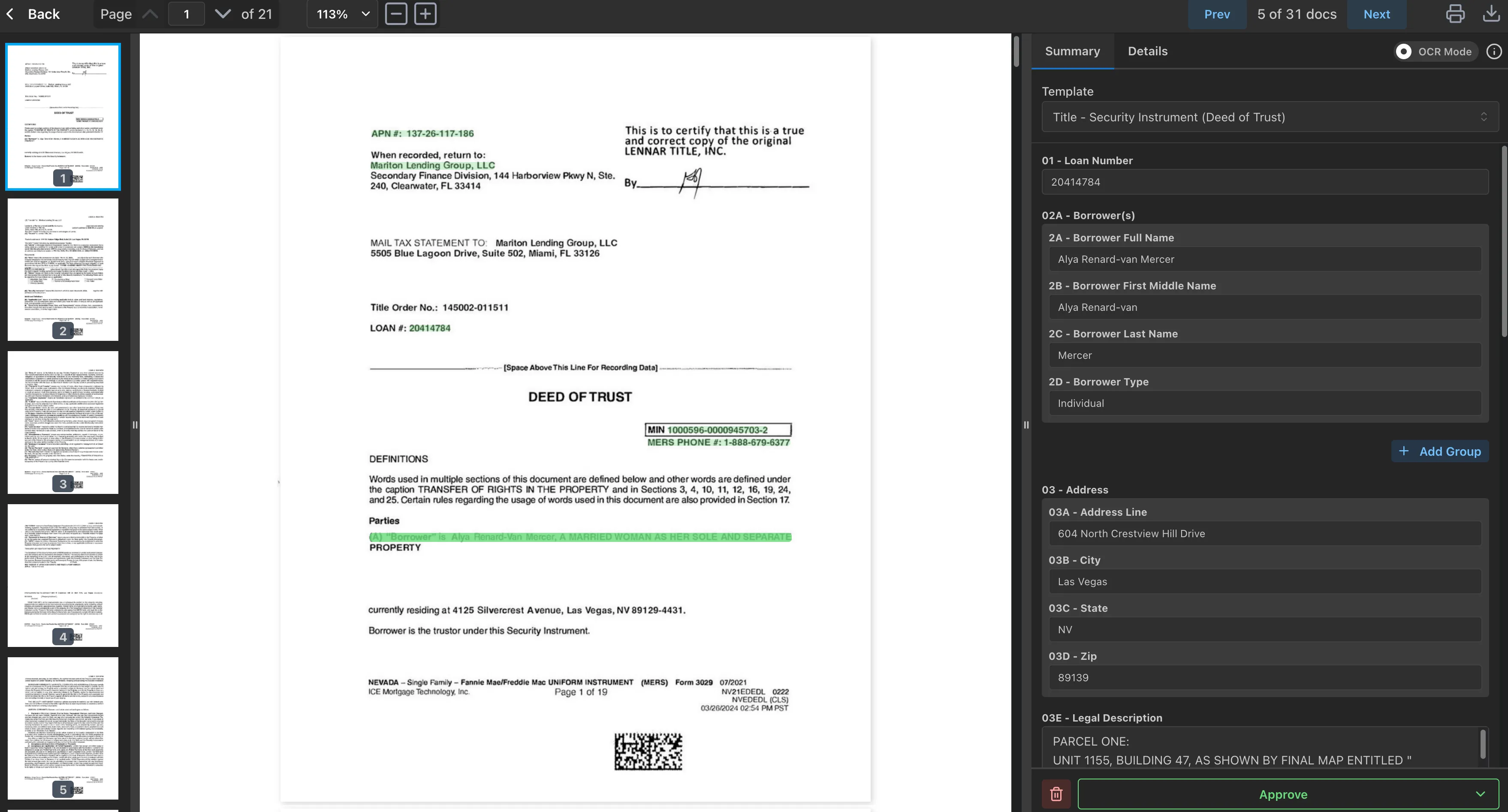
Example Usage
Section titled “Example Usage”import requests
BASE_URL = 'http://dev-api.v2.areal.ai/api/v2'
# 0. Login -> 1. Create UploadSession
# 2. List UploadSessions for your organizationlist_sessions_response = client.get( url=f'{BASE_URL}/sessions/', params={'sort_by': 'updated_at', 'sort_order': 'desc'}).json()
for session in list_sessions_response['objects']: print(f"UploadSession: {session['id']} - {session['name']} - {session['updated_at']}") session_id = session['id']
# 3. Get documents in an UploadSessionsession_details = client.get(f'{BASE_URL}/sessions/{session_id}').json()for document in session_details['objects']: print(f'{document["id"]} - {document["name"]} - {document["status"]}')using System;using System.Net.Http;using System.Threading.Tasks;using System.Text.Json;using System.Net;using System.Collections.Generic;
var baseUrl = "http://dev-api.v2.areal.ai/api/v2";
// 0. Login -> 1. Create UploadSession// See code_samples/auth/c#/login.cs for authentication
var handler = new HttpClientHandler{ UseCookies = true, CookieContainer = new CookieContainer()};var client = new HttpClient(handler);
// 2. List UploadSessions for your organizationvar sessionsUrl = $"{baseUrl}/sessions/?sort_by=updated_at&sort_order=desc";var listSessionsResponse = await client.GetAsync(sessionsUrl);listSessionsResponse.EnsureSuccessStatusCode();
var listSessionsContent = await listSessionsResponse.Content.ReadAsStringAsync();var listSessionsJson = JsonDocument.Parse(listSessionsContent);var sessions = listSessionsJson.RootElement.GetProperty("objects").EnumerateArray();
string? sessionId = null;foreach (var session in sessions){ sessionId = session.GetProperty("id").GetString(); var name = session.GetProperty("name").GetString(); var updatedAt = session.GetProperty("updated_at").GetString(); Console.WriteLine($"UploadSession: {sessionId} - {name} - {updatedAt}");}
// 3. Get documents in an UploadSessionif (sessionId != null){ var sessionDetailsUrl = $"{baseUrl}/sessions/{sessionId}"; var sessionDetailsResponse = await client.GetAsync(sessionDetailsUrl); sessionDetailsResponse.EnsureSuccessStatusCode();
var sessionDetailsContent = await sessionDetailsResponse.Content.ReadAsStringAsync(); var sessionDetailsJson = JsonDocument.Parse(sessionDetailsContent); var documents = sessionDetailsJson.RootElement.GetProperty("objects").EnumerateArray();
foreach (var document in documents) { var docId = document.GetProperty("id").GetString(); var docName = document.GetProperty("name").GetString(); var docStatus = document.GetProperty("status").GetString(); Console.WriteLine($"{docId} - {docName} - {docStatus}"); }}import java.net.HttpURLConnection;import java.net.URL;import java.io.BufferedReader;import java.io.InputStreamReader;import java.net.CookieManager;import java.net.CookieHandler;import java.nio.charset.StandardCharsets;import org.json.JSONObject;import org.json.JSONArray;
public class GetUploadSessionDetails { public static void main(String[] args) throws Exception { String baseUrl = "http://dev-api.v2.areal.ai/api/v2";
// 0. Login -> 1. Create UploadSession // See code_samples/auth/java/login.java for authentication
CookieManager cookieManager = new CookieManager(); CookieHandler.setDefault(cookieManager);
// 2. List UploadSessions for your organization String sessionsUrl = baseUrl + "/sessions/?sort_by=updated_at&sort_order=desc"; URL url = new URL(sessionsUrl); HttpURLConnection connection = (HttpURLConnection) url.openConnection(); connection.setRequestMethod("GET"); connection.setDoInput(true);
int responseCode = connection.getResponseCode(); if (responseCode == HttpURLConnection.HTTP_OK) { BufferedReader reader = new BufferedReader( new InputStreamReader(connection.getInputStream(), StandardCharsets.UTF_8) ); StringBuilder response = new StringBuilder(); String line; while ((line = reader.readLine()) != null) { response.append(line); } reader.close();
JSONObject listSessionsResponse = new JSONObject(response.toString()); JSONArray sessions = listSessionsResponse.getJSONArray("objects");
String sessionId = null; for (int i = 0; i < sessions.length(); i++) { JSONObject session = sessions.getJSONObject(i); sessionId = session.getString("id"); String name = session.getString("name"); String updatedAt = session.getString("updated_at"); System.out.println("UploadSession: " + sessionId + " - " + name + " - " + updatedAt); }
// 3. Get documents in an UploadSession if (sessionId != null) { String sessionDetailsUrl = baseUrl + "/sessions/" + sessionId; URL detailsUrl = new URL(sessionDetailsUrl); HttpURLConnection detailsConnection = (HttpURLConnection) detailsUrl.openConnection(); detailsConnection.setRequestMethod("GET"); detailsConnection.setDoInput(true);
int detailsResponseCode = detailsConnection.getResponseCode(); if (detailsResponseCode == HttpURLConnection.HTTP_OK) { BufferedReader detailsReader = new BufferedReader( new InputStreamReader(detailsConnection.getInputStream(), StandardCharsets.UTF_8) ); StringBuilder detailsResponse = new StringBuilder(); while ((line = detailsReader.readLine()) != null) { detailsResponse.append(line); } detailsReader.close();
JSONObject sessionDetails = new JSONObject(detailsResponse.toString()); JSONArray documents = sessionDetails.getJSONArray("objects");
for (int i = 0; i < documents.length(); i++) { JSONObject document = documents.getJSONObject(i); String docId = document.getString("id"); String docName = document.getString("name"); String docStatus = document.getString("status"); System.out.println(docId + " - " + docName + " - " + docStatus); } } detailsConnection.disconnect(); } }
connection.disconnect(); }}For technical details see the UploadSession API.